
Photo calorie counter with estimates you can review and edit.
FoodSnap is a photo calorie counter that recognizes visible foods and portions, then gives you a practical calorie and macro starting point to review before saving.
Leer esta página en español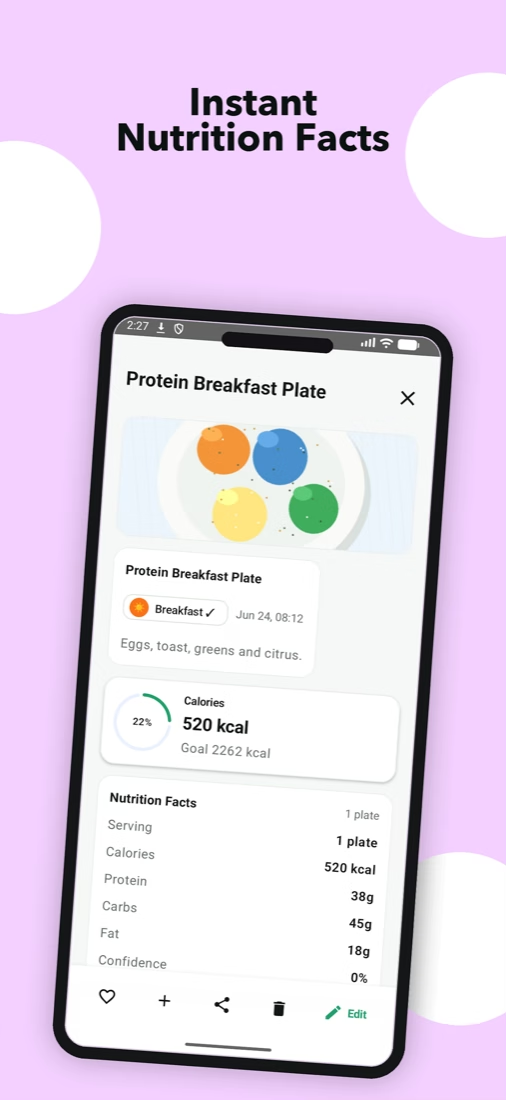
How a photo calorie counter works
Start with a clear photograph that shows the whole plate. FoodSnap analyzes the visible foods, estimates the portion, and returns calories together with protein, carbohydrates, and fat. The result is designed to reduce the blank-page work of creating a meal entry from scratch.
Before saving, compare the detected foods with what you ate. If a sauce, cooking oil, drink, or second serving is missing, adjust the entry. That short review is what turns a convenient visual estimate into a more useful personal record.
- Photograph the full meal in good light
- Review foods and serving sizes
- Edit hidden ingredients you know about
- Save the corrected estimate to your diary
Where photo estimates are most helpful
Photo logging is especially convenient for everyday plates, packed lunches, restaurant meals, and mixed dishes that would otherwise take several manual searches. It also creates a visual memory of what a meal looked like, not just a line of numbers.
For packaged food with a readable label, a barcode or manual entry may provide more specific product information. FoodSnap supports different input methods so you can use the one that best matches the food in front of you.
Make the estimate more informative
Keep the camera steady, avoid hiding part of the plate, and include a familiar size reference when practical. Separate bowls or side dishes should appear in the frame. When you know the recipe, editing the result with that information improves the record more than trying to take a perfect photograph.
FoodSnap is a general food-logging tool, not a clinical measurement device. Use the numbers to notice patterns and support everyday planning, not to diagnose a condition or replace individual advice from a qualified professional.
The estimate is the start. Your review makes it yours.
FoodSnap helps you log faster without hiding the uncertainty in a food image.
Common questions
Can one photo show every ingredient?
No. Hidden oils, fillings, sauces, and recipe quantities may not be visible, so the result should be reviewed and edited.
Does FoodSnap save the result automatically?
You can review and adjust the estimate before adding it to your food diary.
Which meals work best with a photo calorie counter?
Clear photos of the whole plate give FoodSnap more visible information to work with. Mixed dishes, oils, sauces, and hidden fillings may still need a quick edit.
Can I change the serving size after the scan?
Yes. Review the detected foods and serving sizes, then adjust them before saving the meal.